You've saved the photo. Maybe it's a golden-hour couple portrait from a styled engagement shoot in Tuscany. Maybe it's a moody editorial portrait that captures a vibe you've never managed to replicate in your own photos. Maybe it's a travel photo from Santorini — the light, the architecture, the look — and you've never been to Greece.
You saved it. You thought: "I wish I had a photo like this."
You do now.
How AdLoft's Rival Mode Works on People
Most people think AdLoft is a product photography tool. It is — but that's only part of the story. The underlying AI doesn't just understand products. It understands subjects. And a subject can be you, your partner, your family, your couple.
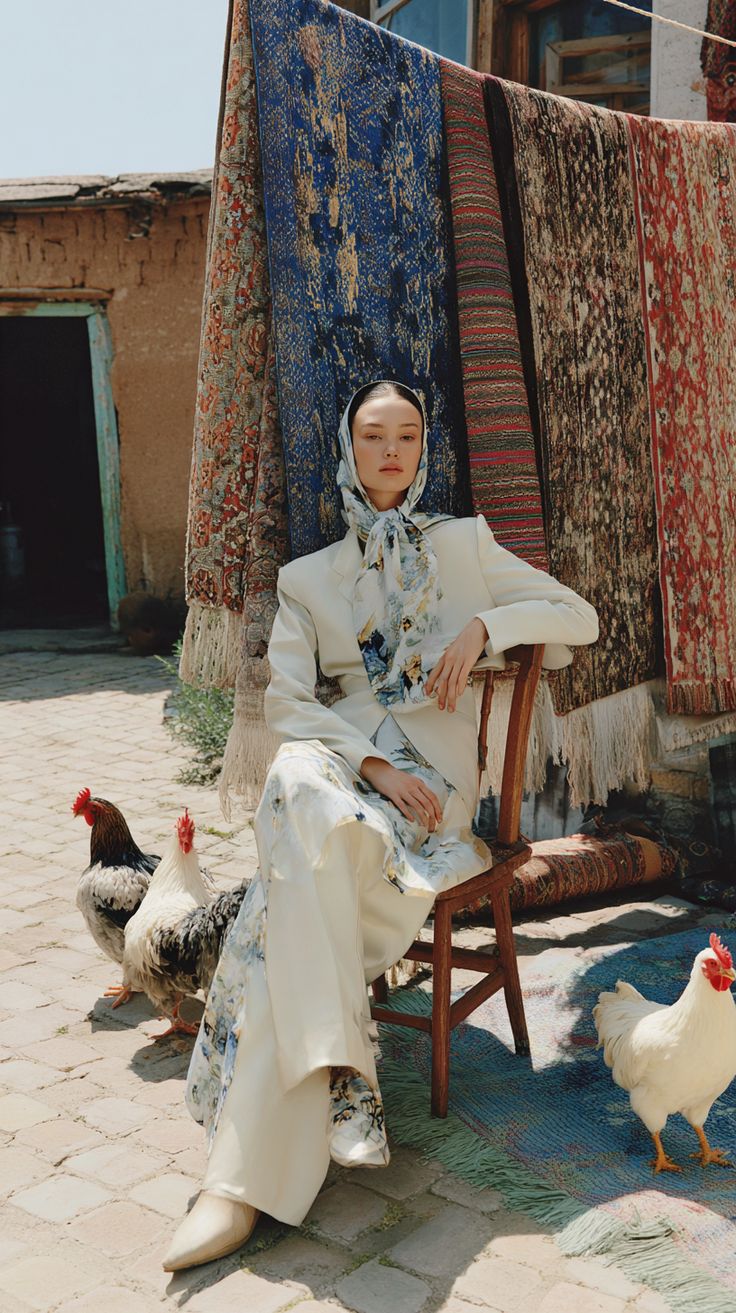
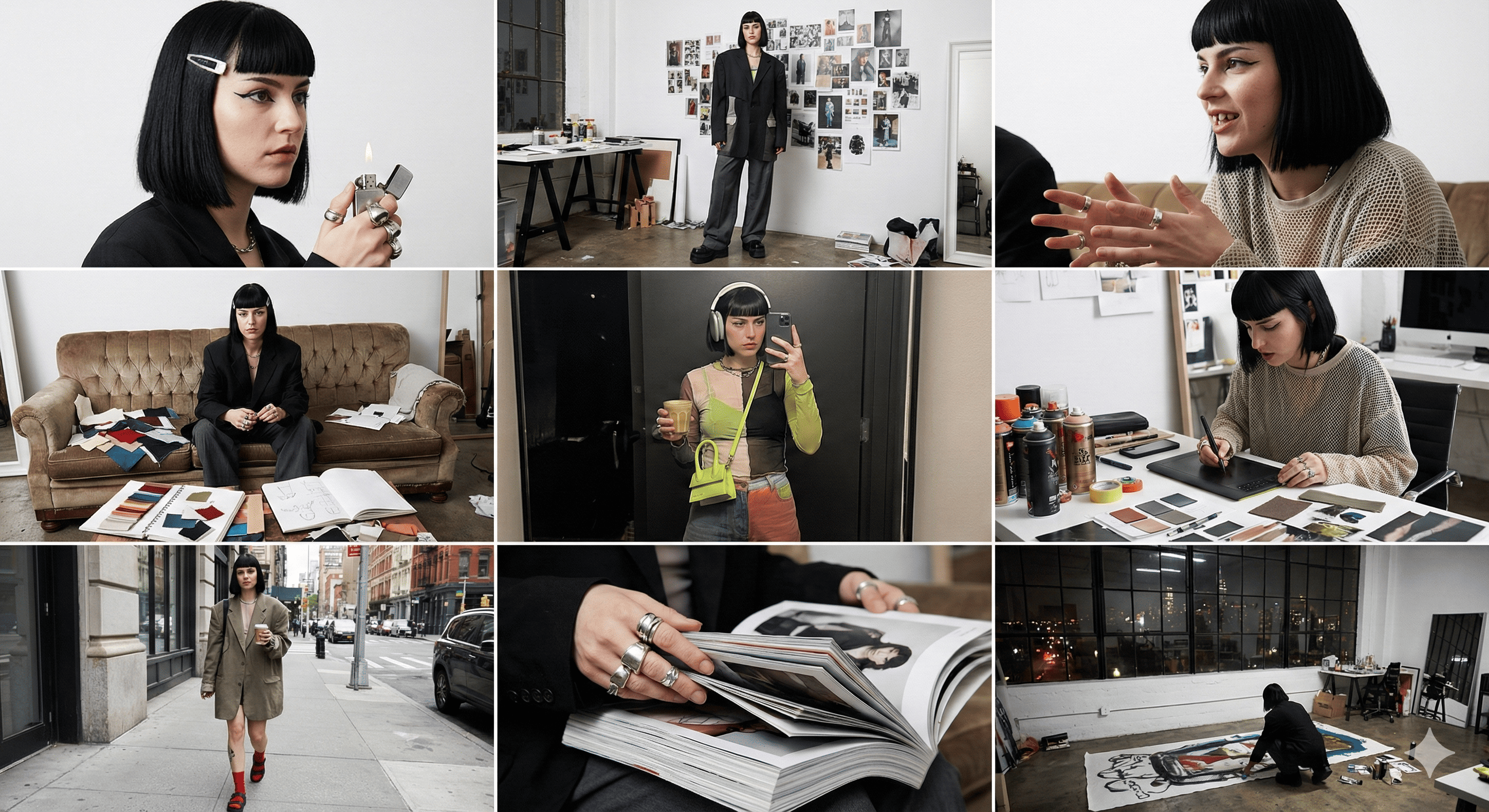
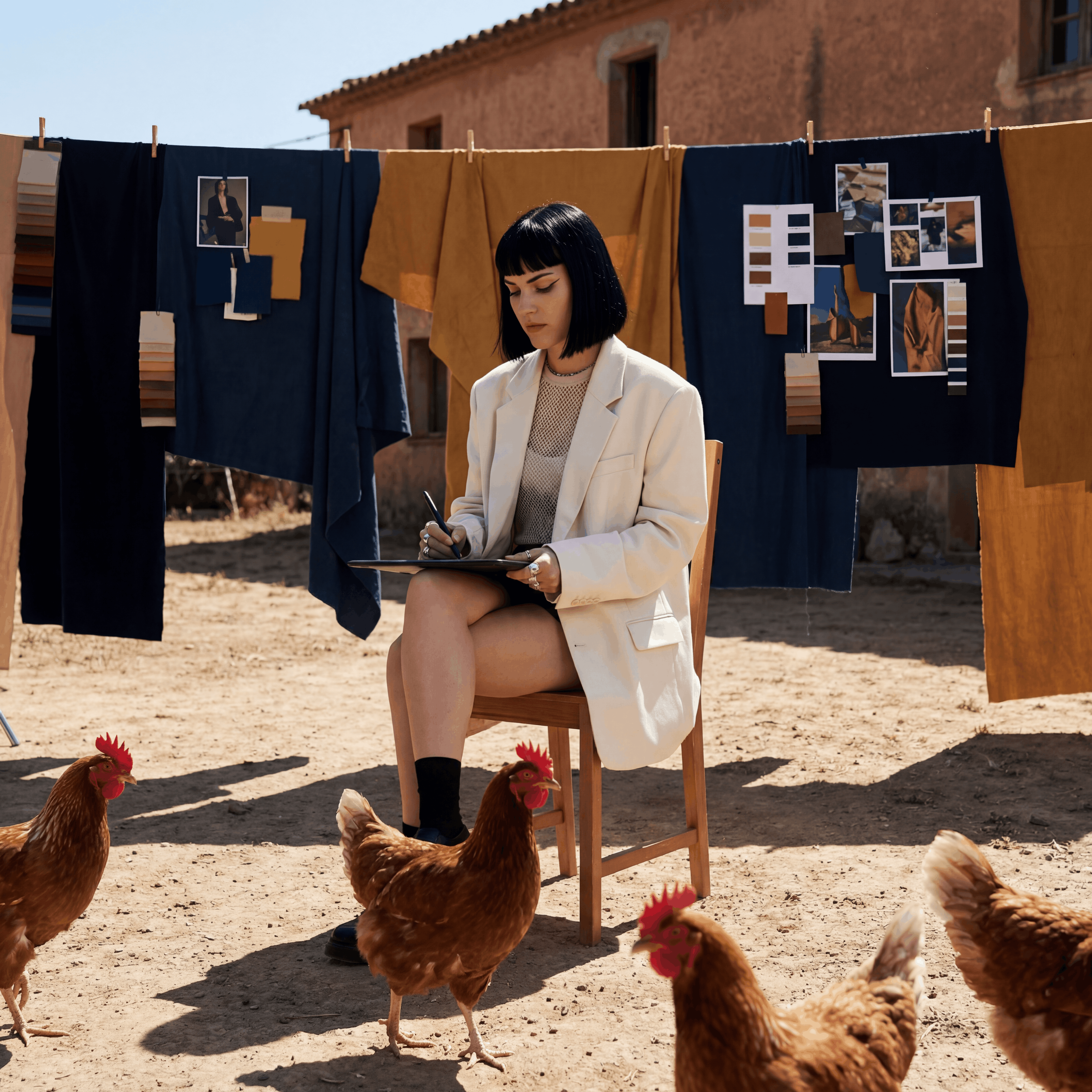
Rival Mode was designed to let you match your visuals to a style reference. The "rival" input doesn't have to be a competitor product — it can be any photo whose aesthetic you want to inherit. The AI reads the reference's visual fingerprint: its lighting direction and quality, colour grade, tone, depth, compositional framing, the feeling it creates. Then it applies those properties to your uploaded photo, leaving your face, your identity, and your subject intact.
Same you. New aesthetic world.
✨ What gets transferred from the reference
Lighting mood and direction · Colour grade and temperature · Background atmosphere and depth · Film grain, texture, finish · Compositional framing style. What does not transfer: faces, identities, or any specific person from the reference photo.
Who This Is For
People who don't know how to pose
Posing is a skill most people haven't practised. The result is that candid photos (when they happen at all) look stiff, flat, or just "off" compared to the effortless-looking shots they save on Pinterest. With AdLoft, the reference photo guides the aesthetic — the AI interprets the mood from the reference and applies it to whatever expression and position you're already in. You don't need to know how to pose. You just need to exist in a photo.
People who haven't traveled — or didn't capture it
You spent five days in Japan and didn't get one photo that looked like the Japan you actually experienced. Or you've never been to Paris and probably won't go this year. The travel shot aesthetic — the light, the mood, the "I was there" feeling — doesn't require the location. It requires the visual language. Find a reference with the light and atmosphere you want, and your photo inherits it.
Couples who want styled content without a shoot
Styled engagement and couple shoots cost £1,500–5,000 in most cities. They require coordination, outfits, location scouting, and a half-day of your weekend. Most couples only do them once, if at all. AdLoft changes the equation: upload a photo of the two of you, use a styled editorial as your reference, and get shoot-quality output from a photo you already have.
Personal branding and headshots
Freelancers, founders, and professionals who need a professional-looking headshot without a two-hour studio booking. Find a reference with the right light and professionalism level, run your best selfie through Rival Mode, and download a headshot that looks like it was taken by an intentional photographer.
Milestone moments: maternity, birthdays, graduations
Life milestones deserve beautiful photos. Not everyone has a photographer on retainer for every moment. Upload what you have, find a reference that matches the feeling you want, and create a visual memory that does the moment justice.
Step-by-Step: From Your Photo to Any Aesthetic
- Find your reference — The photo whose aesthetic you want. This can be from Pinterest, Instagram, anywhere. A couple editorial, a moody portrait, a golden-hour travel shot, a fashion campaign. Save it to your device.
- Prepare your source photo — A clear photo of yourself, your couple, or whoever the subject is. Good light helps, but it doesn't need to be professional. Your phone camera is more than enough.
- Open AdLoft and select Rival Mode
- Upload your photo as the main image
- Upload the reference as the rival image — This is your aesthetic guide.
- Generate — Under 60 seconds. Your subject, in the world of the reference.
Use Cases in Detail
The couple wedding inspiration hack
You and your partner saved a wedding photo — a specific editorial, a specific light that felt like exactly how you'd want your day documented. Maybe it's a film photo from a vineyard at golden hour. Maybe it's a modern, high-contrast black and white. Upload your existing couple photo, drop in the inspiration as the rival reference, and suddenly you have a photo in that style. Use it for engagement announcements, save-the-dates, your wedding website, or just because it's beautiful.
The "I didn't get the shot" travel fix
You were in Santorini, or Tokyo, or the Scottish Highlands. You took photos. None of them looked like the place felt. Upload your best attempt, find a travel photo that captures the atmosphere you actually experienced, and run it through Rival Mode. The AI recreates your photo with the light, depth, and mood of the reference. The shot you meant to get.
The editorial portrait without an editorial budget
Find a portrait campaign from a photographer or brand whose work you admire. Use it as your reference. Run your photo through Rival Mode. The result is your face with the lighting and treatment of a professional editorial shoot — at the cost of a few credits.
💡 Tips for best portrait results
More contrast in the reference = stronger style transfer. Choose references with a
clear, singular aesthetic direction.
Your source photo clarity matters. Sharp, well-lit source photos give the AI more to
work with and produce more detailed outputs.
For couples: Make sure both subjects are clearly visible and facing the camera in the
source photo for the best result.
Aesthetics That Work Especially Well
- Golden-hour editorial — warm, backlit, organic. The most-saved couple aesthetic on Pinterest. Translates beautifully to any portrait.
- Film grain / vintage — warm tones, slight overexposure, imperfect and intimate. Works for both solo portraits and couples.
- Dark moody portrait — deep shadows, dramatic contrast. Cinematic and striking. Great for editorial-style personal branding shots.
- Clean Scandinavian minimal — soft light, neutral backgrounds, understated. Perfect for professional headshots and LinkedIn profiles.
- Dark luxury fashion — high contrast, cool-toned, fashion-forward. Works for fashion content creators and personal brand shoots.
FAQ
Does the AI copy the reference photo?
No. AdLoft reads the aesthetic properties of the reference — lighting, colour, mood, texture — and applies them to your photo. It does not reproduce the original image or any person in it. Your output is entirely new, featuring you in that aesthetic world.
Does this work for couples photos?
Yes. Upload a photo of both of you, use a styled editorial (engagement, portraits, travel) as the reference, and AdLoft recreates the two of you in that visual style. Works best when both people are clearly visible in the source photo.
Do I need a professional camera or lighting?
No. A clear phone photo in decent light is sufficient. The AI rewrites the lighting from the reference — your source just needs to show the subject clearly. Avoid extremely dark, blurry, or heavily compressed source photos.
What reference photos work best for portraits?
Strong, visually consistent references work best. Golden-hour portraits, moody film aesthetics, clean editorial styles. The more distinct and consistent the aesthetic, the more accurately AdLoft can extract and apply it.
Be in the Photo You've Always Wanted
10 free credits, no card required. Upload your photo, drop in your inspiration reference, and get the shot you've been saving in under 60 seconds.
Try It Free →