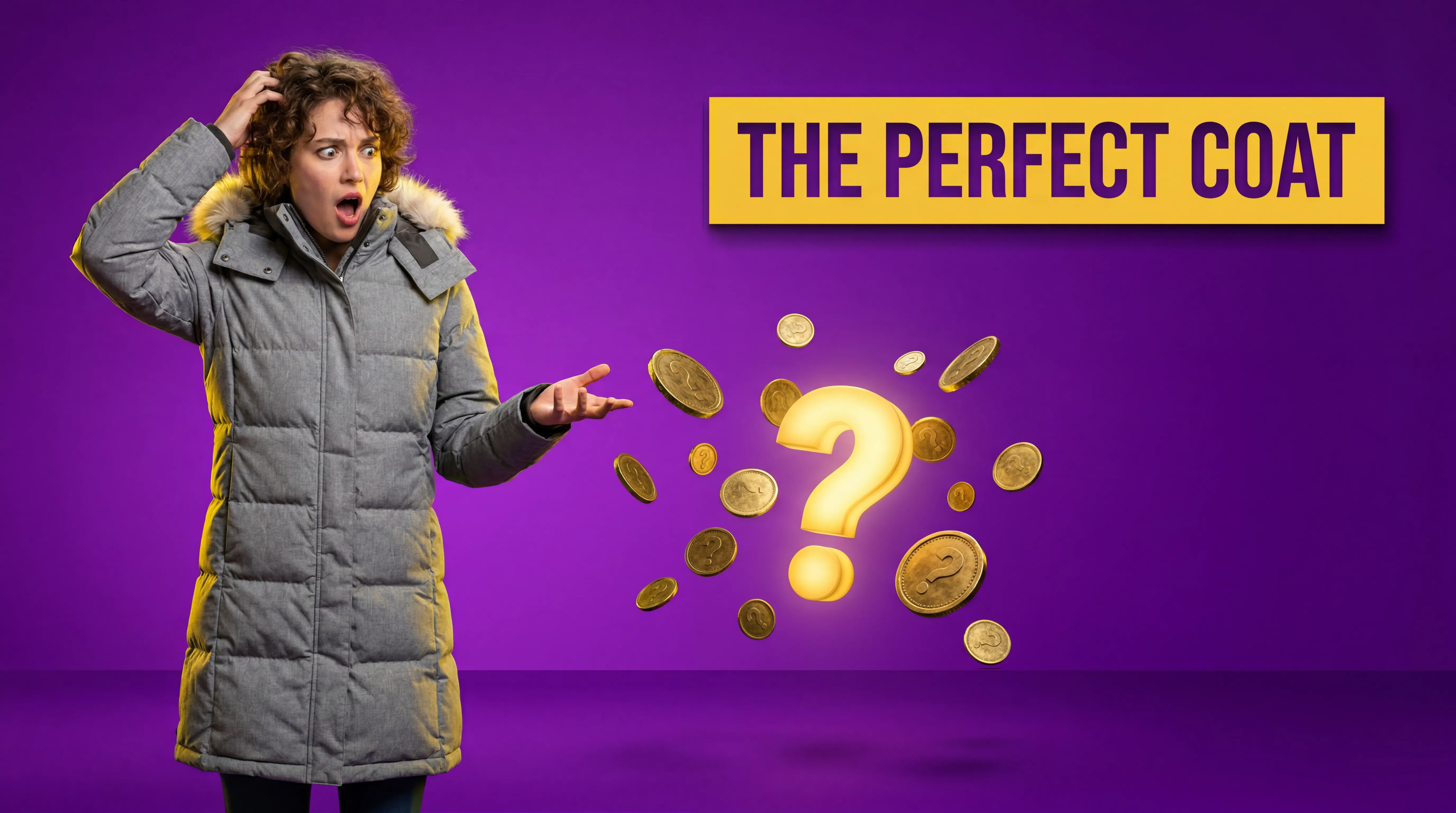
🎥 Creator Solution

High-CTR YouTube Thumbnails Generated by AI

Stop paying designers on Fiverr. Upload a flat product photo and our AI transforms it into a hyper-engaging, MrBeast-style 4K thumbnail asset in seconds.

✨ 10 free credits on signup • No credit card required

The Click-Through Rate Difference

Basic product shots get skipped. Cinematic, glowing thumbnail assets capture attention instantly.

Raw Phone Photo
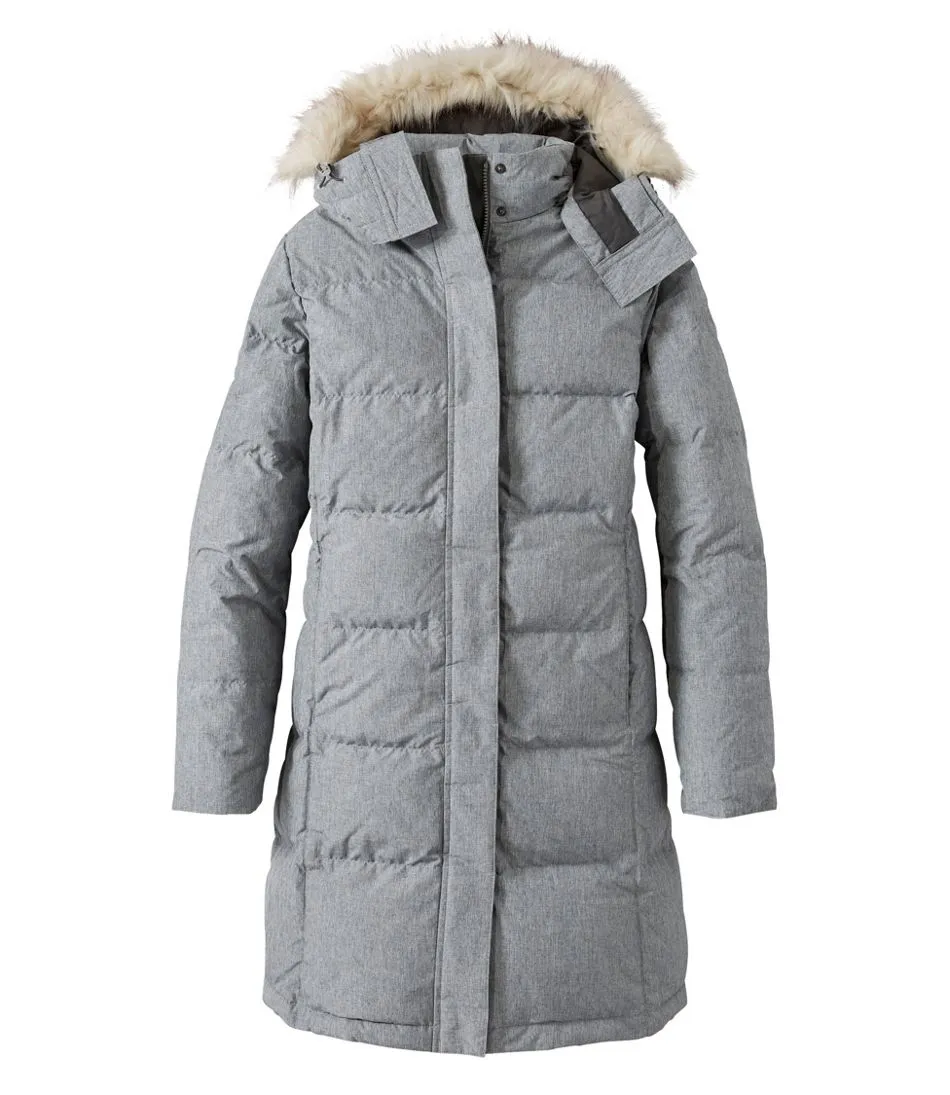
Plain product photo
  • ❌ Flat, boring lighting
  • ❌ Cluttered, unappealing background
  • ❌ Low visual contrast
  • ❌ Doesn't capture viewer attention
AI Thumbnail Output
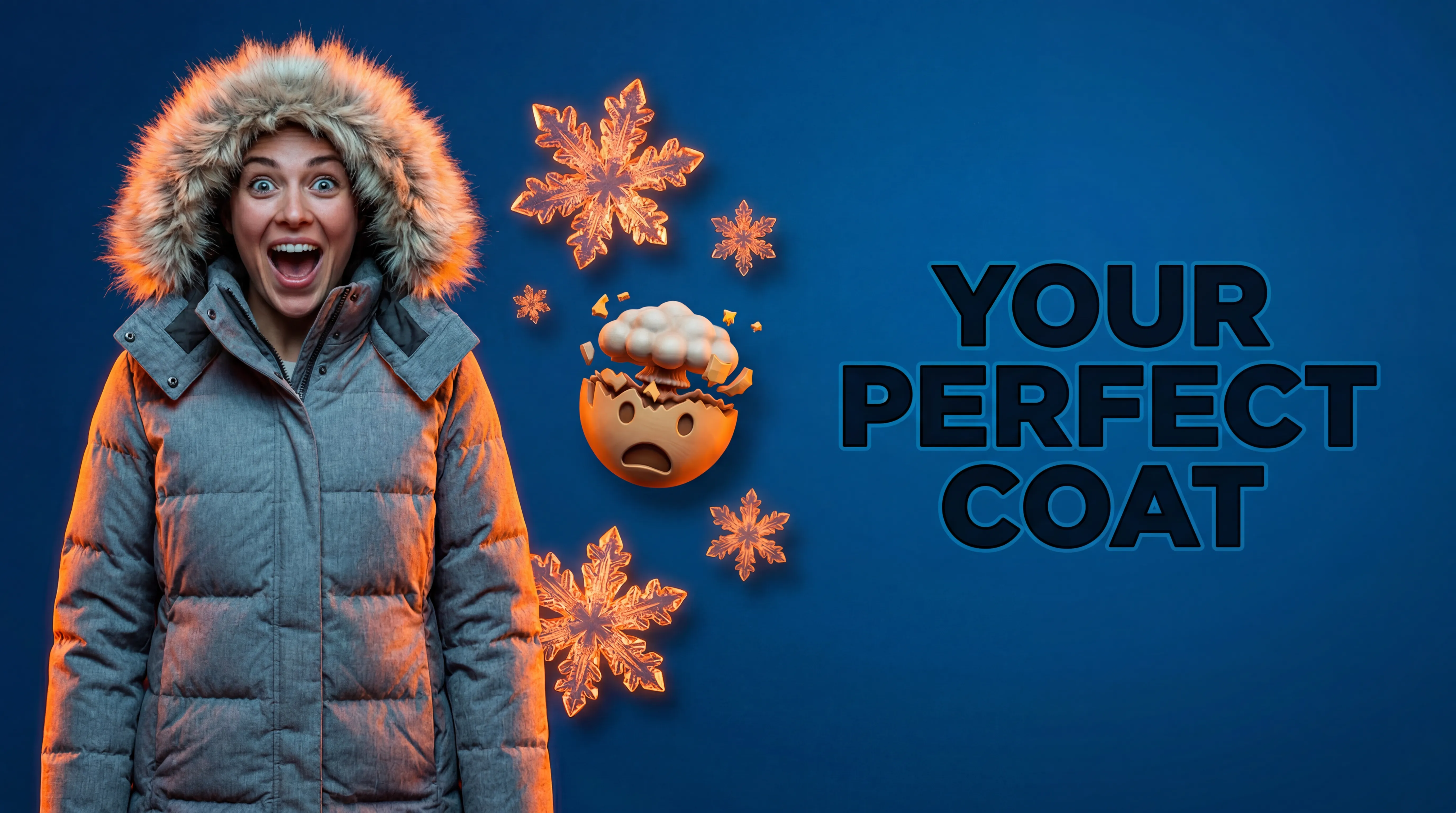
AI-generated Youtube thumbnail
  • ✅ Cinematic, dramatic rim-lighting
  • ✅ Hyper-styled creator backdrop
  • ✅ High contrast & saturation
  • ✅ Designed to maximize clicks & views
Boring Studio Shot
Plain product photo
Click-Worthy AI Thumbnail
AI-generated Youtube thumbnail

Built for Content Creators

Everything you need to boost your channel's metrics

🚀

Higher Click-Through Rates

Our models are trained on top-performing YouTube thumbnails, ensuring optimal contrast and visual hierarchy.

💰

$0 Designer Fees

Stop paying $50 per thumbnail on freelance marketplaces. Create infinite variations yourself.

Done in 30 Seconds

Don't let the thumbnail stall your upload schedule. Go from raw photo to published video instantly.

🎨

No Photoshop Required

Skip the complicated clipping masks, drop shadows, and color grading. Our AI handles the composition.

🌟

4K Resolution Ready

Download massive, crystal clear image files that maintain perfect quality on big TV screens.

🎯

100% Brand Consistency

The AI preserves your actual product details perfectly without altering logos, text, or structure.

Perfect For Any Niche

💻 Tech Reviews

Make gadgets look intensely cinematic with glowing rim-light setups.

🍳 Cooking Channels

Mouth-watering, hyper-saturated food imagery that drives clicks.

💄 Beauty Gurus

Generate luxurious, pristine product backdrops for makeup and skincare.

📦 Unboxings

Transform standard box photos into epic 'must-see' reveals.

👟 Fashion & Hype

Drippy, hypebeast-style visuals for sneaker and apparel drops.

💪 Fitness & Supplements

High-energy, intense lifestyle environments for supplement jars.

Why Use an AI YouTube Thumbnail Generator?

The YouTube algorithm heavily prioritizes Click-Through Rate (CTR). If viewers don't click, your video dies. Traditional thumbnail creation involves tedious background removal, sourcing high-quality backdrops, and advanced color grading in Photoshop. Finding an affordable, reliable freelance designer can be a hit-or-miss experience resulting in delays.

AdLoft's AI changes the game by acting as an on-demand creative director. By analyzing your raw uploaded product image, the system automatically removes the background, integrates the product seamlessly into a hyper-realistic lifestyle or studio scene, casts natural shadows, and applies a cinematic grade. You get the polish of a $5,000 professional photoshoot in a matter of seconds. Learn more about how the AI guarantees 100% brand consistency.

Why Your Product Review Videos Get No Clicks

On YouTube, the thumbnail is more important than the video. If they don't click, they don't watch.

📉

Low CTR (Click-Through Rate)

A messy, poorly lit screenshot from your video will result in a 1-2% CTR. The YouTube algorithm will stop suggesting your video after the first hour.

💡

Bad Lighting Looks Amateur

Tech reviews and unboxing channels are highly competitive. If your product thumbnail lacks dramatic RGB lighting or crisp contrast, viewers assume your video quality is also poor.

⏱️

Photoshop Takes Hours

Masking out a product, finding a background, matching lighting, and adding glow effects in Photoshop can take longer than editing the actual video.

Create 10% CTR Thumbnails in 3 Steps

Stop fighting with Photoshop. Let AI do the heavy lifting.

01

Upload the Product

Take a quick photo of the phone, gadget, or product you are reviewing. Our AI perfectly cuts it out, retaining all reflections and hardware details.

02

Add Epic Backgrounds

Choose a dramatic studio desk setup, RGB gaming aesthetic, or clean minimalist tech look. The AI seamlessly blends your product into the scene with perfect shadows.

03

Export in 16:9

Download your high-contrast, visually striking 4K image, drop it into your editing software to add your text/face, and upload to YouTube.

YouTube Specs — Met by Default

Perfectly sized for YouTube Studio.

Aspect Ratio
16:9 ✅
Standard widescreen format
Resolution
1280x720 min ✅
We deliver 4K for maximum crispness
File Size
< 2MB ✅
Ready for YT Studio upload
Visuals
High Contrast ✅
Pops on dark mode & mobile screens

Who Uses AdLoft for YouTube

Tech reviewers, unboxing channels, and affiliate marketers.

📱

Tech Reviewers

Place smartphones and laptops on floating neon pedestals or sleek wooden desk setups to create that 'MKBHD' cinematic look instantly.

💄

Beauty Gurus

Create pristine, highly lit macro shots of makeup palettes and skincare bottles for your 'Favorites of the Month' videos.

📦

Unboxing Channels

Make the product look incredibly desirable before the viewer even clicks the video. Highlight packaging and product details in 4K.

💸

Affiliate Marketers

Testing multiple 'Top 5' video thumbnails? Generate dozens of product arrangements in minutes to A/B test your CTRs.

Frequently Asked Questions

Can I add text to the thumbnails in AdLoft?

AdLoft focuses on generating the hyper-realistic, high-quality background and product integration. We recommend generating the 16:9 base image with AdLoft, and then using a tool like Canva or Photoshop to add your bold YouTube text and your surprised face.

What aspect ratio should I use?

Always select the 16:9 aspect ratio when generating images for YouTube thumbnails. AdLoft supports this natively.

Will the image look too 'AI-generated'?

No. Our models are tuned for photographic realism. By using your actual product photo and blending it into a hyper-realistic environment with accurate shadows and lighting, the result looks like an expensive studio shoot.

Is AdLoft free to use?

Yes, you get 10 free credits upon sign-up. Enough to generate epic thumbnails for your next few videos.

Related Guides

Step-by-step guides to help you get the most from AI product photography.

Guide
5 Social Media Visuals from 1 Photo with AI
One product image → five platform-ready visuals in minutes.
Guide
How to Make Ad Creatives Without a Designer
The workflow solo founders use to ship ad-ready creatives in minutes.
Feature
Create AI Influencers Without LoRA Training
Build consistent AI brand models with no technical setup required.

More Ways to Use AdLoft

AdLoft works across every ecommerce platform and product category.

🔌
Electronics Photography
See more examples of tech and gadget imagery.
🎨
AdLoft vs Canva
Why top creators use AdLoft for images and Canva for text.
🛍️
Amazon Sellers
Selling the products you review? Optimize those listings too.
📘
Facebook Ads
Running traffic to your channel? Generate ad creatives.

Ready to Boost Your Views?

Join thousands of creators making click-worthy thumbnails with AdLoft.

Start Creating for Free